Browser file converter
GLB to STL: Convert your mesh at its original size
Convert a static, self-contained GLB free in your browser, without signing up. Check the dimensions in millimeters, then download the geometry-only STL for your slicer.
Use cases
When to convert GLB to STL
Use GLB to STL when you already have a mesh and need to check its shape and size in a slicer or another geometry tool.
- TRELLIS
Before preparing a print, use GLB to STL to move the shape of an existing prop into your slicer. Compare the measured length with the source dimensions, then choose the orientation and inspect the first few layers.
- TRELLIS
Run a lattice prototype through GLB to STL and rotate the preview to check the openings. In your slicer, measure between two distinct points and compare with the dimensions shown at conversion before you adjust the part.
- TRELLIS
Use GLB to STL with a measured classroom sample. Record one source dimension, convert the file and check the same edge in a slicer to show how the geometry carries over when units change representations.
- TRELLIS
Convert a static prop with GLB to STL when the reviewer only needs its surfaces. Open the geometry separately to inspect seams and openings that were less visible in the textured file, then keep the original GLB for the game scene.
Examples
GLB to STL examples: Camera and lattice vase
Choose the instant camera or lattice vase to load its source GLB in the workspace. Convert it there, then open the downloaded STL in a slicer to check a known edge or opening.
Instant camera
Lattice vase
Features
What the GLB to STL converter preserves
The GLB to STL converter preserves the size and placement of triangle geometry for a geometry-only handoff, even when the source model has materials or nested parts.
Keep the positions of parts
GLB to STL carries the active scene’s translations, rotations and scales into the exported triangles, including transforms inherited from parent nodes. The assembly example shows three pieces in the same relative positions before and after conversion. The resulting STL contains the placed triangles without the original scene hierarchy.


Read dimensions in millimeters
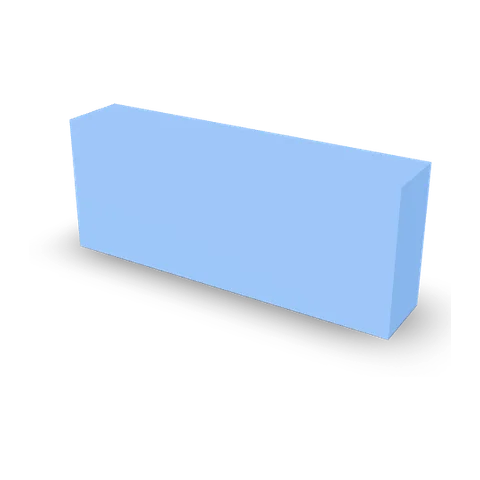
The GLB to STL converter expresses glTF’s meter coordinates in millimeters. The calibration sample’s 0.05 m edge becomes a 50 mm edge when the receiving tool reads the STL values as millimeters. This is a unit conversion: the proportions and physical size carry across as authored.
Inspect shape separately from materials
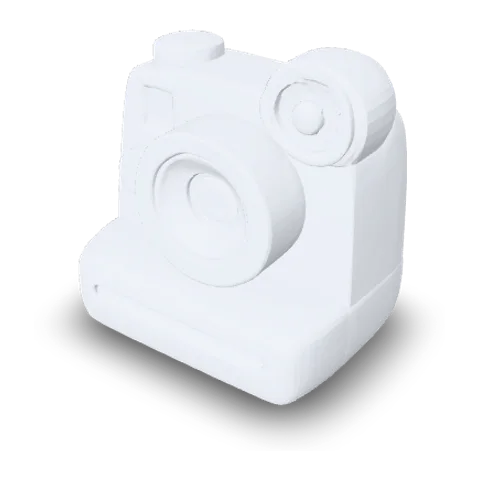
GLB to STL strips the surface materials from the geometry handoff. In the instant-camera example, the lens opening and housing profile stay visible on the solid STL even though the original GLB’s colored panels are gone. That geometry-only version is useful when surface colors make an edge harder to read.

Process the file on your device
The GLB to STL converter reads the chosen file and saves the STL from the browser on your device. Local processing is useful when the receiving tool only needs an export of a private prototype or reference model. Supported inputs are static, self-contained GLBs up to 32 MiB and 400,000 triangles.
How it works
How to convert GLB to STL for your slicer
Convert GLB to STL online by loading the source file, checking the displayed dimensions, and measuring the downloaded mesh in your slicer.
 instant-camera.glbChoose a GLB
Choose a static GLB
Select Choose a GLB file or drop it into GLB to STL. Wait for the preview to appear. If your source uses animation, skinning, morph targets or compressed geometry, re-export it with static, embedded triangle geometry first.

- Model dimensions931 × 709 × 991 mm
Instant camera example, rounded to the nearest millimeter Rotate the preview and check dimensions
Turn the GLB to STL preview to the front and side. Read Model dimensions in millimeters and compare the relevant axis with a measurement from your source file. Confirm that separated pieces still sit in the expected positions.
- STL
Download STL and open the slicer
Select Download STL in GLB to STL and open the file in a slicer using millimeters. Measure the same edge again, then inspect the layer preview for open surfaces or thin details before committing to a print.
More 3D workflows
Before GLB to STL: Create a mesh from an image
Create a starting mesh from an image or draft a tabletop piece before you convert an existing model.
Stories
GLB to STL Stories
From a test-print fixture to a lattice vase, see what people check when they take a mesh into a slicer.
For a fixture review, I opened our measuring block in GLB to STL and wrote down the long edge before exporting. The number matched when I checked that edge in the slicer. Having the browser dimensions beside the source made it easy to explain the handoff to the person setting up the print.
FAQ
GLB to STL FAQ
Answers about the GLB to STL converter, mesh dimensions in millimeters, assembly transforms and slicer checks.
- Self-contained GLB
- STL geometry
- Local conversion
GLB to STL conversion takes the triangle geometry from an existing GLB and writes it into an STL file. This is useful for checking a particular shape in a slicer.
Convert a GLB to STL
Open GLB to STL with a self-contained model. Check the geometry and dimensions first, then save the STL and inspect its size and surfaces in your slicer.