Text to Wavefront 3D
Text to OBJ: Describe a model and download a Wavefront OBJ
Describe one object to generate a Wavefront mesh. Rotate it to inspect the shape, then download the OBJ and keep any accompanying material files together for editing in Blender.
Create your model
3D preview
Sample result · Rodin 2.5 Fast
A real Rodin 2.5 Fast example generated on Image to 3D AI. Inspect the shape, then create your own model from a supported input.
Use cases
Where a text-generated OBJ fits your project
Use Text to OBJ when you have a written idea and the next part of your workflow needs a Wavefront mesh.
- Rodin 2.5 Fast
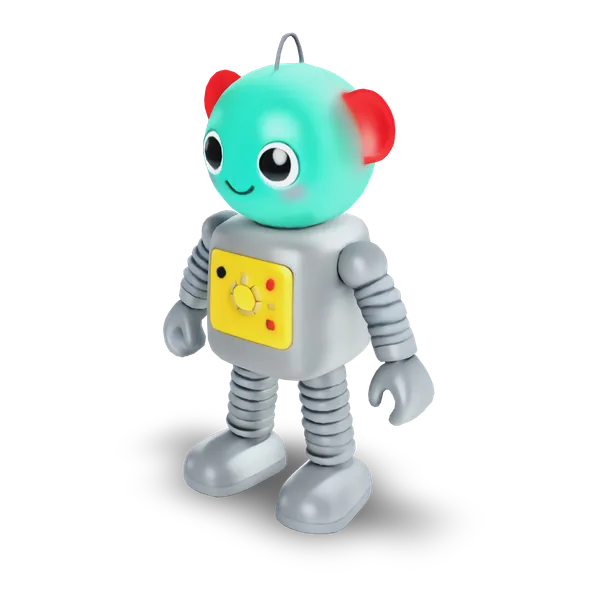
Use Text to OBJ to describe a single prop with distinct main shapes, such as a toy robot with broad feet. Open the mesh in Blender and check how the outline fits beside the other scene pieces.
- Hunyuan 3D 3.1 Rapid
Describe the main material and distinct surface areas with Text to OBJ. If the result is textured, keep the OBJ, MTL and image files together so the receiving editor can load the material when you hand it off.
- Rodin 2.5
Turn a written form exercise into a mesh with Text to OBJ. Use a bare OBJ when the receiving workflow needs only geometry, and compare the original description with the shape after it is imported into the editor.
- Tripo H3.1
Run the same description through Text to OBJ with your chosen settings and compare two results at matching angles. Keep the model whose outline fits the shot, then export it to make further edits in your own scene.
Examples
Text to OBJ examples with their original prompts
Read the original object descriptions and rotate the resulting forms. Use the prompts as a starting point for your own geometry.
A cute retro toy robot with a round teal head, red ear pieces, a yellow chest dial and springy grey arms, standing, full body
Features
What comes with a Text to OBJ export
Text to OBJ creates a new mesh from a description and exports a Wavefront OBJ, either as a geometry file or with its available material and texture files.
Turn a description into new geometry
Text to OBJ generates a new object from its written description. In the toy robot example, the round head and spring arms define visible shapes from several angles. This gives a concept artist a silhouette to assess from multiple angles before spending time on a prop’s finer details.
A cute retro toy robot with a round teal head, red ear pieces, a yellow chest dial and springy grey arms, standing, full body
Compare the shape, surface and mesh
Text to OBJ lets you inspect the model in textured, solid and wireframe views before exporting. A solid view can show whether an edge or handle exists in the geometry when the colors are removed. Wireframe exposes the form’s triangle layout, useful when the exported mesh will be edited further.


How the textured OBJ bundle is organized
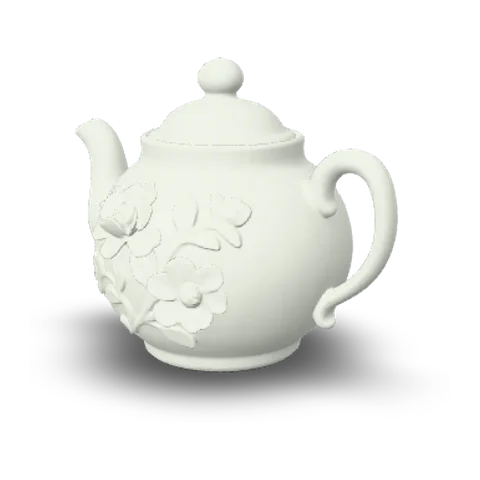
A textured Text to OBJ export is a ZIP containing the Wavefront OBJ, its MTL material definition and the referenced texture images. The MTL references its images using relative paths. That packaging keeps the material dependencies together for an editor such as Blender when the files are extracted with their folder structure intact.
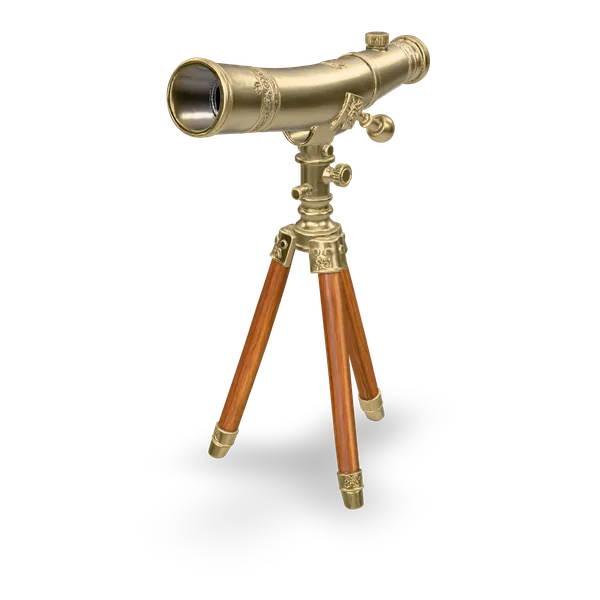
- OBJWavefront mesh
- MTLMaterial library
- ImagesReferenced textures
Use a bare OBJ for geometry
Without textures, Text to OBJ can save a standalone Wavefront OBJ. It carries the mesh geometry in one file, a simpler handoff when a colleague will apply new materials or only needs the object for a geometry exercise. The untextured pirate chest view shows how much of the lid and latch remains recognizable from geometry alone.
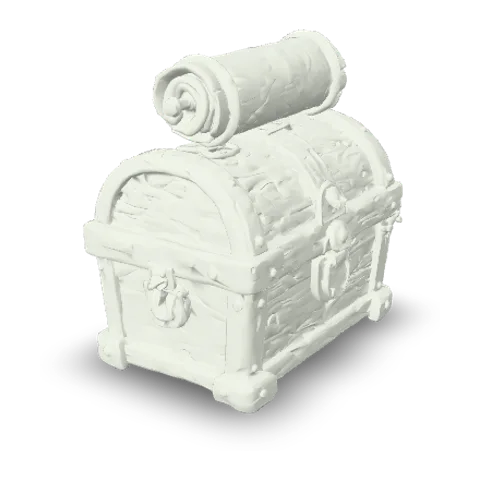
- OBJStandalone mesh when no texture is present
How it works
How to make an OBJ from text for Blender
Write a description, generate and inspect a mesh with Text to OBJ, then import the resulting Wavefront file into Blender.
A celadon porcelain teapot with delicate gold floral patterns
Describe one objectWrite a prompt for one object
Open Text in the Text to OBJ workspace. Write one prompt describing the object, its proportions and the details that distinguish it. For a teapot, describe whether the handle curves out or sits close to the body.
Solid · Hunyuan 3D 3.1 Rapid Generate and rotate the mesh
Choose a text-capable model, check its credit quote and select Generate 3D model. Wait for the Text to OBJ result, then rotate it and compare one distinctive shape in the prompt with the same part on the generated mesh.
- OBJ
Export OBJ and open it in Blender
Select OBJ in the Text to OBJ result viewer. If the download is a ZIP, extract it without moving the OBJ, MTL or images relative to each other. Import the OBJ into Blender and check that any expected textures appear.
More 3D workflows
Beyond Text to OBJ: Images, GLB and STL
Start from an image or choose the file format that your receiving tool expects.
Stories
Text to OBJ Stories
A few words can be the starting point for a toy robot, a ceramic handle, or a prop headed for a Blender scene.
I described a toy robot with broad feet and a small round head in Text to OBJ. The shape gave me a useful starting point for the scene I was blocking out. After rotating it in the browser, I imported the OBJ and used the side view to decide which edges to sharpen.
FAQ
Text to OBJ FAQ
Answers about Text to OBJ prompts, bare mesh exports, texture bundles and Blender import.
- Written prompt
- Wavefront OBJ
- Texture bundle when available
Text to OBJ uses a written description to generate a new 3D mesh and gives you a Wavefront export. Start with an object description; use a separate file converter for an existing TXT file.
Generate an OBJ from your own text prompt
Use Text to OBJ to turn a written description into a new mesh. Check the shape in the preview and take the Wavefront OBJ or material bundle into your editor.